MacMeter is available from today: a small tool for your Mac's menu bar that shows how hard the machine is working — processor, memory, network, disk, GPU, battery — without opening another app. You can download it from macmeter.app, with a free 14-day trial.
1. Why we built it
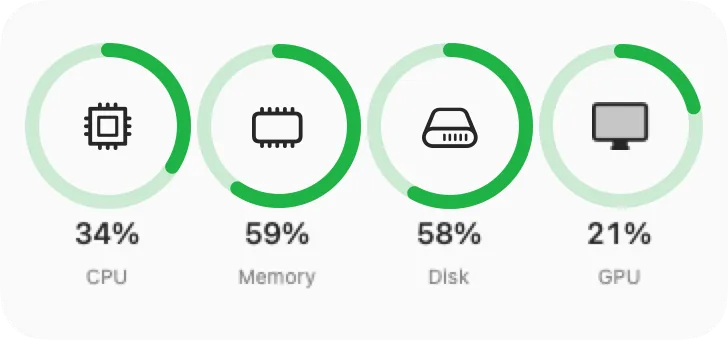
When a Mac slows down, the question is always the same: what is going on? Activity Monitor answers it, but you have to open it, find the right tab and interpret it. We wanted the opposite: an always-present glance, four coloured rings in the menu bar for CPU, memory, disk and network, and everything else one click away.
2. What it keeps an eye on
Each tab shows a two-minute history graph, so you see not just the value right now but the trend.
- CPU: user, system and idle usage, plus the load on each core.
- Memory: app, wired, compressed and swap, with the system's memory pressure.
- Network: download and upload speed, Wi-Fi signal, link speed and IP address.
- Disk: used and free space, and read and write speeds.
- GPU: graphics load, with history.
- Battery: charge, runtime, cycle count, health and temperature.
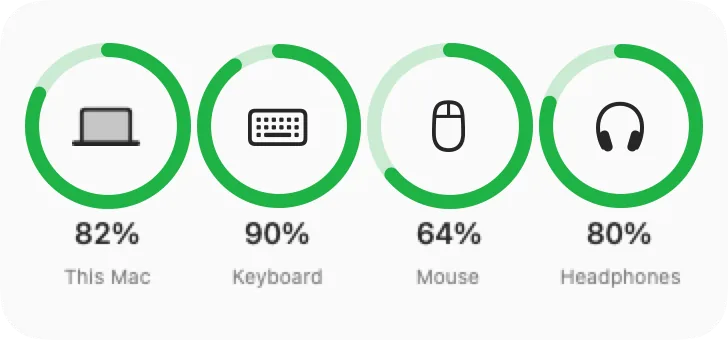
- Accessories: the battery level of your Bluetooth keyboard, mouse and headphones, when the device reports it.
- Sensors (Pro): temperatures, per-component power draw and fan speeds.
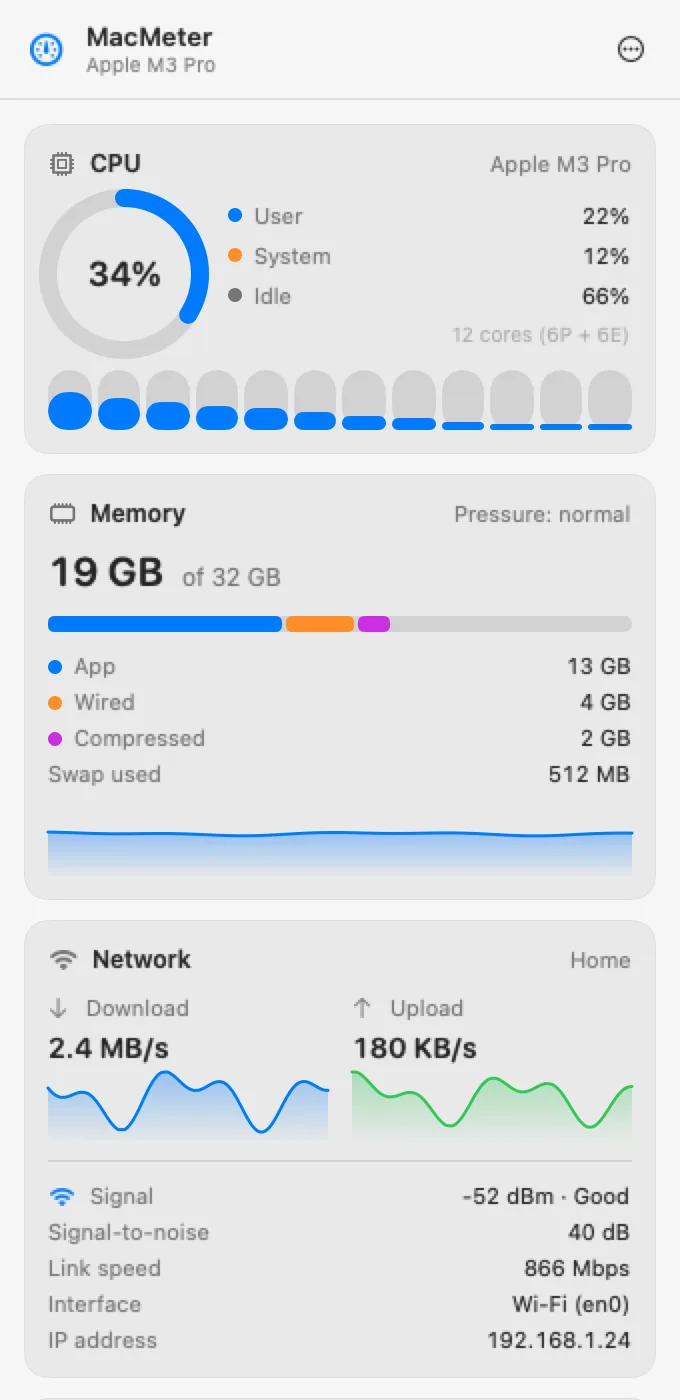
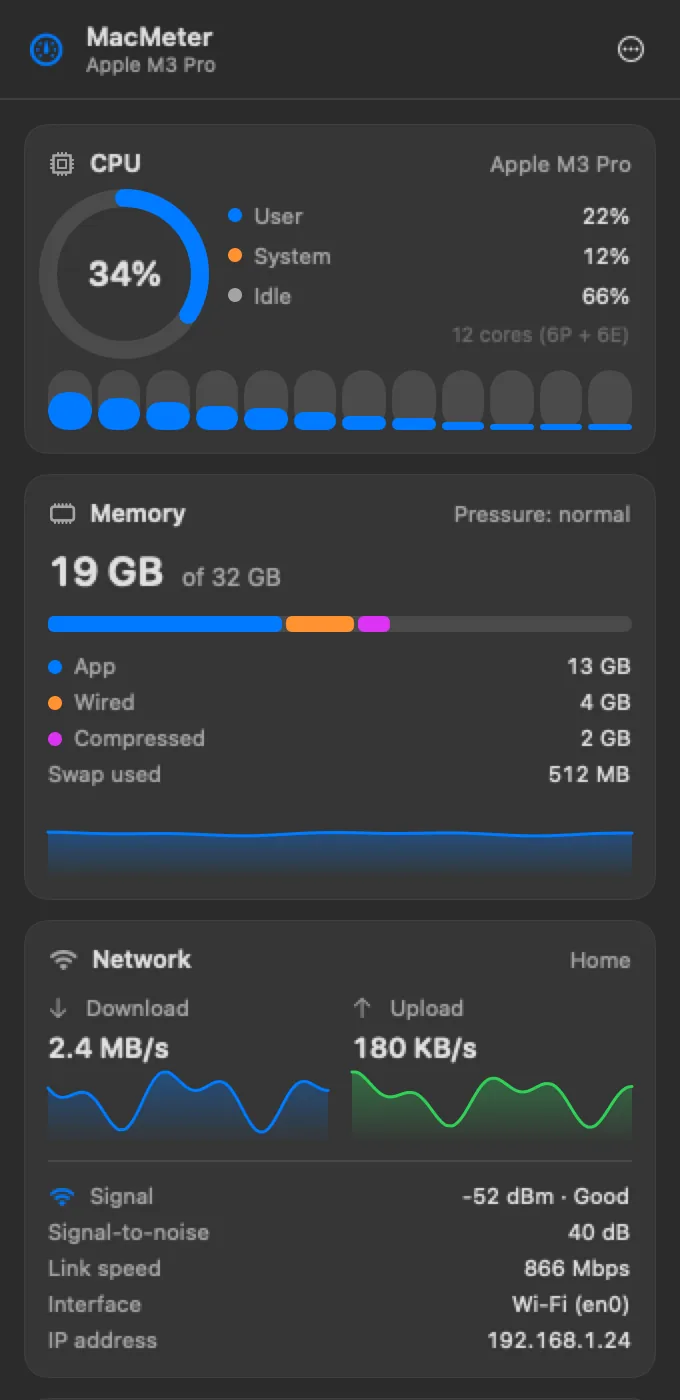
3. The menu bar the way you want it
Choose which modules to show, in what order and in which style: on one line, on two lines or with a mini graph. Values change colour when they cross the thresholds you set, so you notice a problem before you hear the fan. The panel follows your Mac's light or dark mode.



4. Free to start, Pro when you need it
For 14 days you get every feature. After that, CPU, memory, network, disk, GPU, battery and accessories stay free, with up to two modules in the menu bar. MacMeter Pro is a one-time €3.99, VAT included, no subscription: it unlocks all modules, the graph style, sensors, desktop and Notification Center widgets, and threshold alerts. One licence covers up to 5 personal Macs.
5. No account, no servers
MacMeter only reads data from your Mac and does not require an account. The Location permission is requested only because macOS requires it to show the Wi-Fi network name: your location is neither stored nor sent, and the app works if you decline. It is not on the Mac App Store because Store apps cannot read sensors and power data: you download it from the website.
Requirements
MacMeter runs on Apple Silicon Macs with macOS 14 or later. Everything — download, pricing, terms and support — is on macmeter.app; here, on the product page, you will find the full overview with the FAQ.
It is our first product built for people who use a Mac every day, not only for those who administer one. If you have an idea for what it should show next, write to us: the next updates start from there.